
Blog

  • Getting Started with ASR APIs: Python Quickstart

    Getting Started with ASR APIs: Python Quickstart

    Ever wonder how your phone transcribes your voice messages or how virtual assistants understand your commands? The magic behind it is Automatic Speech Recognition (ASR). ASR APIs allow developers to integrate this powerful technology into their own applications.

    What is an ASR API?

    An ASR API is a service that converts spoken language (audio) into written text. You send an audio file to the API, and it returns a transcription. This is incredibly useful for a wide range of applications, from creating subtitles for videos to enabling voice-controlled interfaces and analyzing customer service calls.

    This simple process enables complex features like:

    • 🎬 Auto-generated subtitles
    • 🗣️ Voice-controlled applications
    • 📞 Speech analytics for customer calls

    Before we dive into the code, you’ll need two things for most ASR providers:

    1. An API Key: Sign up with an ASR provider (like Google Cloud Speech-to-Text, AssemblyAI, Deepgram, or AWS Transcribe) to get your unique API key. This key authenticates your requests.
    2. An Audio File: Have a sample audio file (e.g., in .wav, .mp3, or .m4a format) ready to test. For this guide, we’ll assume you have a file named my-audio.wav.
    3. API Endpoint: The URL for the service, which we’ll assume is https://api.shunya.org/v1/transcribe.

    Integrating ASR APIs with Python

    Automatic Speech Recognition (ASR) APIs allow your applications to convert spoken language into text, unlocking powerful new user experiences. Let’s go step by step so you can confidently integrate ASR APIs—using Python.

    We’ll use the requests library to handle all our communication with the API.

    Step 1: Set Up Your Environment

    First, create a virtual environment and install requests.

    # Create and activate a virtual environment
    python -m venv venv
    source venv/bin/activate  # On Windows, use 'venv\Scripts\activate'
    
    # Install the necessary library
    pip install requests

    Step 2: Building the Python Script

    Create a file named transcribe_shunya.py and let’s build it section by section.

    Part A: Configuration

    First, we’ll import the necessary libraries and set up our configuration variables at the top of the file. This makes them easy to change later.

    # transcribe_shunya.py
    import requests
    import time
    import sys 
    
    # --- Configuration --- 
    API_KEY = "YOUR_SHUNYA_LABS_API_KEY" 
    API_URL = "https://api.shunya.org/v1/transcribe" 
    AUDIO_FILE_PATH = "my_punjabi_audio.wav" 
    # --------------------

    Here’s what each variable does:

    • API_KEY: Your personal authentication token.
    • API_URL: The endpoint where transcription jobs are submitted.
    • AUDIO_FILE_PATH: Path to your local audio file.

    Part B: Submitting the Transcription Job

    This function handles the initial POST request. It opens your audio file, specifies the language model (pingalla), and sends it all to the API to start the process.

    def submit_transcription_job(api_url, api_key, file_path):
        """Submits the audio file to the ASR API and returns the job ID."""
        print("1. Submitting transcription job...")
        headers = {"Authorization": f"Token {api_key}"}
    
        # Specify language and model; adjust based on API docs
        payload = {
            "language": "pn",
            "model": "pingala-v1"
        }
        
        try:
            # We open the file in binary read mode ('rb')
            with open(file_path, 'rb') as audio_file:
                # The 'files' dictionary is how 'requests' handles multipart/form-data
                files = {'audio_file': (file_path, audio_file, 'audio/wav')}
                response = requests.post(api_url, headers=headers, data=payload, files=files)
                response.raise_for_status()  # This will raise an error for bad responses (4xx or 5xx)
                
                job_id = response.json().get("job_id")
                print(f"   -> Job submitted successfully with ID: {job_id}")
                return job_id
        except requests.exceptions.RequestException as e:
            print(f"   -> Error submitting job: {e}")
            return None

    Part C: Displaying the Transcription Result

    Once the API finishes processing, it returns a JSON response containing your transcription and metadata.

    def print_transcription_result(result):
        """Display transcription text and segments."""
        if not result or not result.get("success"):
            print("❌ Transcription failed.")
            return
        
        print("\n✅ Transcription Complete!")
        print("=" * 50)
        print("Final Transcript:\n")
        print(result.get("text", "No transcript found"))
        print("=" * 50)
        
        # Optional: print speaker segments
        if result.get("segments"):
            print("\nSpeaker Segments:")
            for seg in result["segments"]:
                print(f"[{seg['start']}s → {seg['end']}s] {seg['speaker']}: {seg['text']}")

    Part D: Putting It All Together

    Finally, the main function orchestrates the entire process by calling our functions in the correct order. The if __name__ == "__main__": block ensures this code only runs when the script is executed directly.

    def main():
        """Main function to run the transcription process."""
        result = submit_transcription_job(API_URL, API_KEY, AUDIO_FILE_PATH)
        
        if result:
            print_transcription_result(result)
    
    if __name__ == "__main__":
        main()

    Step 3: Run the Python Script

    With your audio file in the same folder, run:

    python transcribe_shunya.py

    If everything’s set up correctly, you’ll see:

    1. Submitting transcription job…
       -> Job submitted successfully with ID: abc123
    
    ✅ Transcription Complete!
    ==================================================
    Final Transcript:
    
    ਸਤ ਸ੍ਰੀ ਅਕਾਲ! ਤੁਸੀਂ ਕਿਵੇਂ ਹੋ?
    ==================================================

    How It Works Behind the Scenes

    Here’s what your script actually does step by step:

    1. Upload: The script sends your audio and metadata to ShunyaLabs’ ASR REST API.
    2. Processing: The backend model (Pingala V1) performs multilingual ASR, handling Indian languages, accents, and speech clarity.
    3. Response: The API returns a JSON response with:
      • Full text transcript
      • Timestamps for each segment
      • Speaker diarization info (if enabled)

    This same pattern — submit → poll → retrieve — is used by nearly every ASR provider, from Google Cloud to AssemblyAI to Pingala.

    You can also use WebSocket streaming for near real-time transcription at:

    wss://tb.shunyalabs.ai/ws

    Best Practices

    1. Keep files under 10 MB for WebSocket requests (REST supports larger).
    2. Store API keys securely:export SHUNYA_API_KEY="your_key_here"
    3. Use clean mono audio (16kHz) for best accuracy.
    4. Experiment with parameters like:
      • --language-code hi for Hindi
      • --output-script Devanagari for Hindi text output
    5. Enable diarization to detect who’s speaking in multi-speaker audio.

    Using the REST API Directly (Optional)

    If you prefer using curl, try this:

    curl -X POST "https://tb.shunyalabs.ai/transcribe" \
      -H "X-API-Key: YOUR_SHUNYALABS_API_KEY" \
      -F "file=@sample.wav" \
      -F "language_code=auto" \
      -F "output_script=auto"

    The API responds with JSON:

    {
      "success": true,
      "text": "Good morning everyone, this is a sample transcription using ShunyaLabs ASR.",
      "detected_language": "English",
      "segments": [
        {
          "start": 0.0,
          "end": 3.5,
          "speaker": "SPEAKER_00",
          "text": "Good morning everyone"
        }
      ]
    }

    Final Thoughts

    You’ve just built a working speech-to-text integration using Python and the ShunyaLabs Pingala ASR API – the same foundation that powers real-time captioning, transcription tools, and voice analytics platforms.

    With its multilingual support, low-latency WebSocket streaming, and simple REST API, Pingala makes it easy for developers to integrate accurate ASR into any workflow – whether you’re building for India or the world.

    Automatic Speech Recognition bridges the gap between humans and machines, making technology more natural and inclusive.

    As models like Pingala V1 continue advancing in language accuracy and CPU efficiency, ASR is becoming not just smarter, but also more accessible — ready to transform every app that can listen.


  • Getting Started with ASR APIs: Node.js Quickstart

    Getting Started with ASR APIs: Node.js Quickstart

    Ever wonder how your phone transcribes your voice messages or how virtual assistants understand your commands? The magic behind it is Automatic Speech Recognition (ASR). ASR APIs allow developers to integrate this powerful technology into their own applications.

    What is an ASR API?

    An ASR API is a service that converts spoken language (audio) into written text. You send an audio file to the API, and it returns a transcription. This is incredibly useful for a wide range of applications, from creating subtitles for videos to enabling voice-controlled interfaces and analyzing customer service calls.

    This simple process enables complex features like:

    • 🎬 Auto-generated subtitles
    • 🗣️ Voice-controlled applications
    • 📞 Speech analytics for customer calls

    Before we dive into the code, you’ll need two things for most ASR providers:

    1. An API Key: Sign up with an ASR provider (like Google Cloud Speech-to-Text, AssemblyAI, Deepgram, or AWS Transcribe) to get your unique API key. This key authenticates your requests.
    2. An Audio File: Have a sample audio file (e.g., in .wav, .mp3, or .m4a format) ready to test. For this guide, we’ll assume you have a file named my-audio.wav.
    3. API Endpoint: The URL for the service, which we’ll assume is https://api.shunya.org/v1/transcribe.

    Integrating ASR APIs with Node.js

    Let’s go step by step and build a working Node.js script that sends an audio file to ShunyaLabs Pingala ASR API, retrieves the transcription, and displays it neatly on your terminal.

    We’ll use the following dependencies:

    • axios — for HTTP communication
    • form-data — to handle multipart file uploads

    Step 1: Set Up Your Environment

    Make sure you have Node.js v14+ installed, then set up your project:

    # Create a project folder
    mkdir asr-node-demo && cd asr-node-demo
    
    # Initialize npm
    npm init -y
    
    # Install dependencies
    npm install axios form-data

    Step 2: Building the Node.js Script

    Create a file named transcribe_shunya.js and let’s build it section by section.

    Part A: Configuration

    First, we’ll import the necessary libraries and set up our configuration variables at the top of the file. This makes them easy to change later.

    // transcribe_shunya.js
    import fs from "fs";
    import axios from "axios";
    import FormData from "form-data";
    
    // --- Configuration ---
    const API_KEY = "YOUR_SHUNYA_LABS_API_KEY";
    const API_URL = "https://tb.shunyalabs.ai/transcribe";
    const AUDIO_FILE_PATH = "sample.wav";
    // --------------------

    Here’s what each variable does:

    • API_KEY: Your personal authentication token.
    • API_URL: The endpoint where transcription jobs are submitted.
    • AUDIO_FILE_PATH: Path to your local audio file.

    Part B: Submitting the Transcription Job

    This function handles the initial POST request. It opens your audio file, specifies the language model (pingalla), and sends it all to the API to start the process.

    async function submitTranscriptionJob(apiUrl, apiKey, filePath) {
      console.log("1. Submitting transcription job...");
      
      const form = new FormData();
      form.append("file", fs.createReadStream(filePath));
      form.append("language_code", "auto");
      form.append("output_script", "auto");
      
      try {
        const response = await axios.post(apiUrl, form, {
          headers: {
            "X-API-Key": apiKey,
            ...form.getHeaders(),
          },
        });
        
        console.log("   -> Job submitted successfully!");
        return response.data;
      } catch (error) {
        console.error("   -> Error submitting job:", error.response?.data || error.message);
        return null;
      }
    }

    Part C: Displaying the Transcription Result

    Once the API finishes processing, it returns a JSON response containing your transcription and metadata.

    function printTranscriptionResult(result) {
      if (!result || !result.success) {
        console.log("❌ Transcription failed.");
        return;
      }
    
      console.log("\n✅ Transcription Complete!");
      console.log("=".repeat(50));
      console.log("Final Transcript:\n");
      console.log(result.text || "No transcript found");
      console.log("=".repeat(50));
    
      if (result.segments && result.segments.length) {
        console.log("\nSpeaker Segments:");
        result.segments.forEach((seg) => {
          console.log(`[${seg.start}s → ${seg.end}s] ${seg.speaker}: ${seg.text}`);
        });
      }
    }

    Part D: Putting It All Together

    Finally, the main function orchestrates the entire process by calling our functions in the correct order.

    async function main() {
      const result = await submitTranscriptionJob(API_URL, API_KEY, AUDIO_FILE_PATH);
      
      if (result) {
        printTranscriptionResult(result);
      }
    }
    
    main();

    Step 3: Run the Node.js Script

    With your audio file in the same folder, run:

    node transcribe_shunya.js

    If everything’s set up correctly, you’ll see:

    1. Submitting transcription job…
       -> Job submitted successfully!
    
    ✅ Transcription Complete!
    ==================================================
    Final Transcript:
    
    ਸਤ ਸ੍ਰੀ ਅਕਾਲ! ਤੁਸੀਂ ਕਿਵੇਂ ਹੋ?
    ==================================================

    How It Works Behind the Scenes

    Here’s what your script actually does step by step:

    1. Upload: The script sends your audio and metadata to ShunyaLabs’ ASR REST API.
    2. Processing: The backend model (Pingala V1) performs multilingual ASR, handling Indian languages, accents, and speech clarity.
    3. Response: The API returns a JSON response with:
      • Full text transcript
      • Timestamps for each segment
      • Speaker diarization info (if enabled)

    This same pattern — submit → poll → retrieve — is used by nearly every ASR provider, from Google Cloud to AssemblyAI to Pingala.

    Best Practices

    1. Keep files under 10 MB for WebSocket requests (REST supports larger).
    2. Store API keys securely:export SHUNYA_API_KEY="your_key_here"
    3. Use clean mono audio (16kHz) for best accuracy.
    4. Experiment with parameters like:
      • --language-code hi for Hindi
      • --output-script Devanagari for Hindi text output

    Final Thoughts

    You’ve just built a working speech-to-text integration in Node.js using ShunyaLabs Pingala ASR API – the same technology that powers real-time captioning, transcription tools, and voice analytics systems.

    With its multilingual support, low-latency streaming, and simple REST/WebSocket APIs, Pingala makes it easy for developers to bring accurate, fast, and inclusive ASR into any workflow – whether for India or the world.

    Automatic Speech Recognition bridges the gap between humans and machines, making technology more natural and inclusive.

    As models like Pingala V1 continue to improve in accuracy and efficiency, ASR is becoming not only smarter – but accessible to every app that can listen.
  • Top Open-Source Speech Recognition Models(2025)

    Top Open-Source Speech Recognition Models(2025)

    Speech recognition technology has become an integral part of our daily lives—from voice assistants on our smartphones to automated transcription services, real-time captioning, and accessibility tools. As demand for speech recognition grows across industries, so does the need for transparent, customizable, and cost-effective solutions.

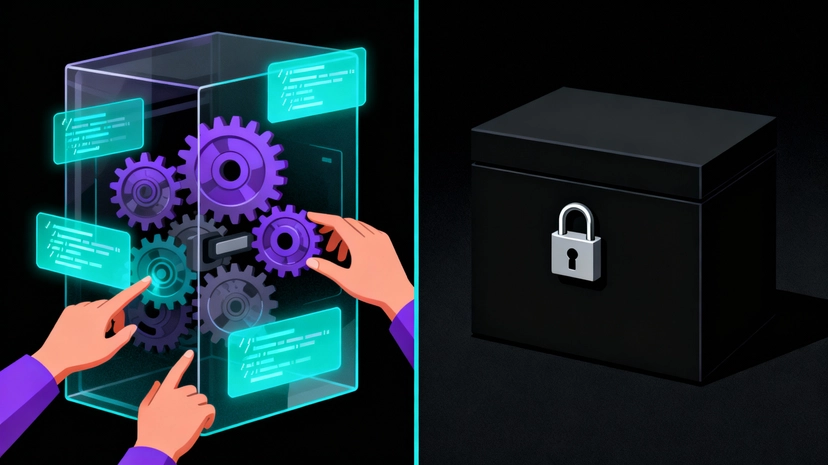
    This is where open-source Automatic Speech Recognition (ASR) models come in. Unlike proprietary, black-box solutions, open-source ASR models provide developers, researchers, and businesses with the freedom to inspect, modify, and deploy speech recognition technology on their own terms. Whether you’re building a voice-enabled app, creating accessibility features, or conducting cutting-edge research, open-source ASR offers the flexibility and control that proprietary solutions simply cannot match.

    But with dozens of open-source ASR models available, how do you choose the right one? Each model has its own strengths, trade-offs, and ideal use cases. In this comprehensive guide, we’ll explore the top five open-source speech recognition models, compare them across key criteria, and help you determine which solution best fits your needs.

    What is Open-Source ASR?

    Understanding Open Source

    Open source refers to software, models, or systems whose source code and underlying components are made publicly available for anyone to view, use, modify, and distribute. The core philosophy behind open source is transparency, collaboration, and community-driven development.

    Open-source projects are typically released under specific licenses that define how the software can be used. These licenses generally allow:

    1. Free access: Anyone can download and use the software without paying licensing fees
    2. Modification: Users can adapt and customize the software for their specific needs
    3. Distribution: Modified or unmodified versions can be shared with others
    4. Commercial use: In many cases, open-source software can be used in commercial products (depending on the license)

    The open-source movement has powered some of the world’s most critical technologies—from the Linux operating system to the Python programming language. It fosters innovation by allowing developers worldwide to contribute improvements, identify bugs, and build upon each other’s work.

    What Open-Sourcing Means for ASR Models

    When it comes to Automatic Speech Recognition (ASR) models—systems that convert spoken language into written text—being “open-source” takes on additional dimensions beyond just code availability.

    Open-source ASR models typically include:

    1. Model Architecture The neural network design and structure are publicly documented and available. This includes the specific layers, attention mechanisms, and architectural choices that make up the model. Developers can understand exactly how the model processes audio and generates transcriptions.

    2. Pre-trained Model Weights The trained parameters (weights) of the model are available for download. This is crucial because training large ASR models from scratch requires massive computational resources and thousands of hours of audio data. With pre-trained weights, you can use state-of-the-art models immediately without needing to train them yourself.

    3. Training and Inference Code The code used to train the model and run inference (make predictions) is publicly available. This allows you to:

    1. Reproduce the original training results
    2. Fine-tune the model on your own data
    3. Understand the preprocessing and post-processing steps
    4. Optimize the model for your specific use case

    4. Open Licensing The model is released under a license that permits use, modification, and often commercial deployment. Common open-source licenses for ASR models include:

    1. MIT License: Highly permissive, allows almost any use
    2. Apache 2.0: Permissive with patent protection
    3. MPL 2.0: Requires sharing modifications but allows proprietary use
    4. RAIL (Responsible AI Licenses): Permits use with ethical guidelines and restrictions

    5. Documentation and Community Comprehensive documentation, usage examples, and an active community that supports adoption and helps troubleshoot issues.

    Why Open-Source ASR Matters

    Transparency and Trust Unlike proprietary “black box” ASR services, open-source models allow you to understand exactly how speech recognition works. You can inspect the training process, validate performance claims, and ensure the technology meets your ethical and technical standards.

    Cost-Effectiveness Proprietary ASR services typically charge per minute or per API call, which can become extremely expensive at scale. Open-source models can be deployed on your own infrastructure with no per-use costs—you only pay for the compute resources you use.

    Customization and Fine-Tuning Every industry has its own vocabulary, accents, and acoustic conditions. Open-source models can be fine-tuned on domain-specific data—whether that’s medical terminology, legal jargon, regional dialects, or technical vocabulary—to achieve better accuracy than generic solutions.

    Privacy and Data Control With open-source ASR deployed on your own servers or edge devices, sensitive audio data never leaves your infrastructure. This is crucial for healthcare, legal, financial, and other privacy-sensitive applications where data sovereignty is paramount.

    No Vendor Lock-In You’re not dependent on a single vendor’s pricing, API changes, service availability, or business decisions. You own your speech recognition pipeline and can switch hosting, modify the model, or change deployment strategies as needed.

    Innovation and Research Researchers and developers can build upon existing open-source models, experiment with new architectures, and contribute improvements back to the community. This collaborative approach accelerates innovation across the field.

    How We Compare: Key Evaluation Criteria

    To help you choose the right open-source ASR model, we’ll evaluate each model across five critical dimensions:

    1. Accuracy (Word Error Rate – WER) Accuracy is measured by Word Error Rate (WER)—the percentage of words incorrectly transcribed. Lower WER means better accuracy. We’ll look at performance on standard benchmarks and real-world conditions.

    2. Languages Supported The number and quality of languages each model supports. This includes whether it’s truly multilingual (one model for all languages) or requires separate models per language, as well as any special capabilities like dialect or code-switching support.

    3. Model Size The number of parameters and memory footprint of the model. This directly impacts computational requirements, deployment costs, and whether the model can run on edge devices or requires powerful servers.

    4. Edge Deployment How well the model performs when deployed on edge devices like smartphones, IoT devices, or embedded systems. This includes CPU efficiency, latency, and memory requirements.

    5. License The license type determines how you can legally use, modify, and distribute the model. We’ll clarify whether each license permits commercial use and any restrictions that apply.

    With these criteria in mind, let’s dive into our top five open-source speech recognition models.

    1. Whisper by OpenAI

    When it comes to accuracy and versatility, Whisper sets the benchmark. With word error rates as low as 2-5% on clean English audio, it delivers best-in-class performance that remains robust even with noisy or accented speech.

    What truly sets Whisper apart is its genuine multilingual capability. Unlike models that require separate training for each language, Whisper’s single model handles 99 languages with consistent quality. This includes strong performance on low-resource languages that other systems struggle with.

    Whisper offers five model variants ranging from Tiny (39M parameters) to Large (1.5B parameters), giving you the flexibility to choose based on your deployment needs. The smaller models work well on edge devices, while the larger ones deliver exceptional accuracy when GPU resources are available.

    Released under the permissive MIT License, Whisper comes with zero restrictions on commercial use or deployment, making it an attractive choice for businesses of all sizes.

    2. Wav2Vec 2.0 by Meta

    Meta’s Wav2Vec 2.0 brings something special to the table: exceptional performance with limited labeled training data. Thanks to its self-supervised learning approach, it achieves 3-6% WER on standard benchmarks and competes head-to-head with fully supervised methods.

    The XLSR variants extend support to over 50 languages, with particularly strong cross-lingual transfer learning capabilities. While English models are the most mature, the system’s ability to leverage learnings across languages makes it valuable for multilingual applications.

    With Base (95M) and Large (317M) parameter options, Wav2Vec 2.0 strikes a good balance between size and performance. It’s better suited for server or cloud deployment, though the base model can run on edge devices with proper optimization.

    The Apache 2.0 License ensures commercial use is straightforward and unrestricted.

    3. Shunya Labs ASR

    Meet the current leader on the Open ASR Leaderboard with an impressive 3.10% WER . But what makes Shunya Labs’ open source model – Pingala V1 – so special isn’t only its accuracy, but also that it’s revolutionizing speech recognition for underserved languages.

    With support for over 200 languages, Pingala V1 offers the largest language coverage in open-source ASR. But quantity doesn’t compromise quality. The model excels particularly with Indic languages (Hindi, Tamil, Telugu, Kannada, Bengali) and introduces groundbreaking code-switch models that handle seamless language mixing—perfect for real-world scenarios where speakers naturally blend languages like Hindi and English.

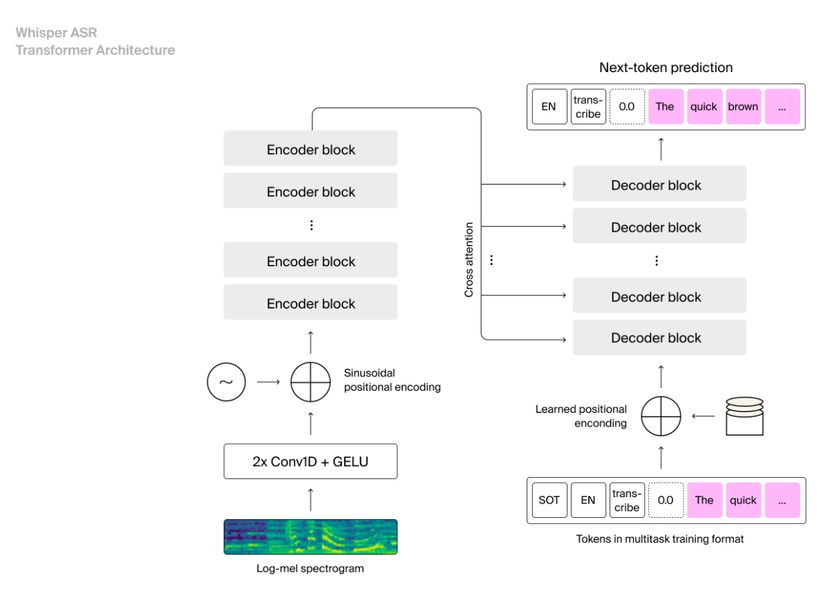
    Built on Whisper’s architecture, Pingala V1 comes in two flavors: Universal (~1.5B parameters) for broad language coverage and Verbatim (also ~1.5B) optimized for precise English transcription. The optimized ONNX models support efficient edge deployment, with tiny variants running smoothly on CPU for mobile and embedded systems.

    Operating under the RAIL-M License (Responsible AI License with Model restrictions), Pingala V1 permits commercial use while emphasizing ethical deployment—a forward-thinking approach in today’s AI landscape.

    4. Vosk

    Sometimes you don’t need state-of-the-art accuracy—you need something that works reliably on constrained devices. That’s where Vosk shines. With 10-15% WER, it prioritizes speed and efficiency over absolute accuracy, making it perfect for real-world applications where resources are limited.

    Vosk supports 20+ languages including English, Spanish, German, French, Russian, Hindi, Chinese, and Portuguese. Each language has separate models, with sizes ranging from an incredibly compact 50MB to 1.8GB—far smaller than most competitors.

    Designed specifically for edge and offline use, Vosk runs efficiently on CPU without requiring GPU acceleration. It supports mobile platforms (Android/iOS), Raspberry Pi, and various embedded systems with minimal memory footprint and low latency.

    The Apache 2.0 License means complete freedom for commercial use and modifications.

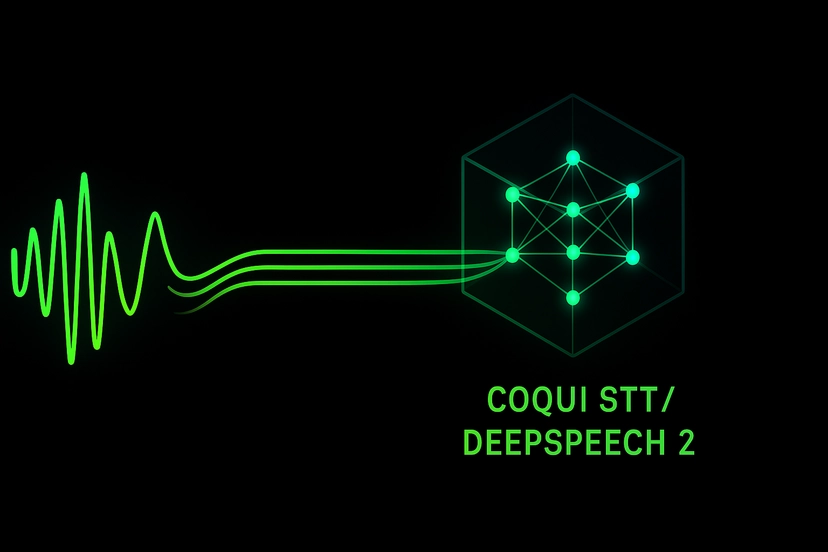
    5. Coqui STT / DeepSpeech 2

    Born from Mozilla’s DeepSpeech project, Coqui STT delivers 6-10% WER on standard English benchmarks with the added benefit of streaming capability for low-latency applications.

    Supporting 10+ languages through community-contributed models, Coqui STT’s quality varies by language, with English models being the most mature. Model sizes range from 50MB to over 1GB, offering flexibility based on your requirements.

    The system runs efficiently on CPU and supports mobile deployment through TensorFlow Lite optimization. Its streaming capability makes it particularly suitable for real-time applications.

    Released under the Mozilla Public License 2.0, Coqui STT permits commercial use but requires disclosure of source code modifications—something to consider when planning your deployment strategy.

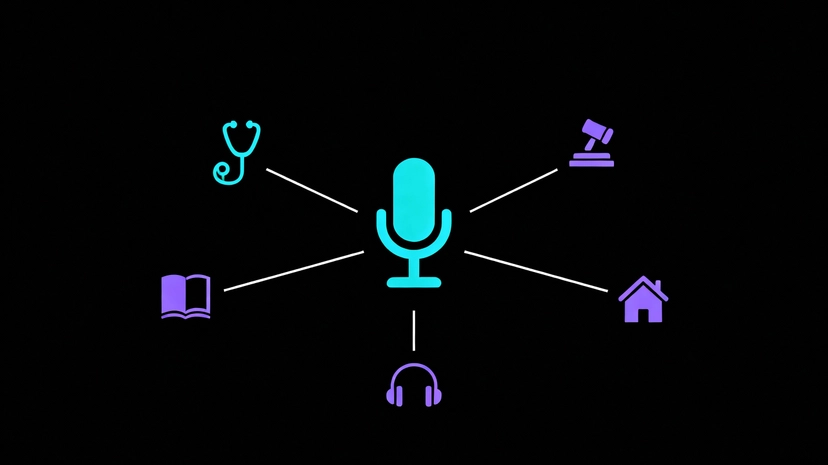
    Common Use Cases for Open-Source ASR

    Open-source ASR powers a wide range of applications:

    1. Accessibility: Real-time captioning for the deaf and hard of hearing
    2. Transcription Services: Meeting notes, interview transcriptions, podcast subtitles
    3. Voice Assistants: Custom voice interfaces for applications and devices
    4. Call Center Analytics: Automated call transcription and sentiment analysis
    5. Healthcare Documentation: Medical dictation and clinical note-taking
    6. Education: Language learning apps and automated lecture transcription
    7. Media & Entertainment: Subtitle generation and content indexing
    8. Smart Home & IoT: Voice control for connected devices
    9. Legal & Compliance: Deposition transcription and compliance monitoring

    The Trade-offs to Consider

    While open-source ASR offers tremendous benefits, it’s important to understand the trade-offs:

    1. Technical Expertise: Self-hosting requires infrastructure, ML/DevOps knowledge, and ongoing maintenance
    2. Initial Setup: More upfront work compared to plug-and-play API services
    3. Support: Community-based support rather than dedicated customer service (though many models have active, helpful communities)
    4. Resource Requirements: Some models require significant compute power, especially for real-time processing

    However, for many organizations and developers, these trade-offs are well worth the benefits of control, customization, and cost savings that open-source ASR provides.

    While open-source ASR models provide a powerful foundation, optimizing them for production scale can be complex. If you are navigating these trade-offs for your specific use case, see how we approach production-ready ASR.

  • Top 10 AI Transcription Tools: A Simple Comparison

    Top 10 AI Transcription Tools: A Simple Comparison

    The world of automatic transcription has moved past simple speech-to-text. Today’s AI tools are fast, smart, and built for specific jobs, from making your Zoom meetings searchable to editing your podcast like a word document.

    Here is a non-technical breakdown of the best transcription software to help you choose the right one for your needs.

    1. Shunya Labs

    Shunya Labs offers cutting-edge transcription technology with its Pingala V1 model, designed for real-time, multilingual transcription with exceptional accuracy.

    Key Features

    • Supports over 200 languages
    • Real-time transcription with under 250ms latency
    • Optimized for both GPU and CPU environments
    • Runs offline on edge devices
    • Advanced features like voice activity detection

    Pros

    • Industry-leading accuracy, even in noisy audio
    • Privacy-focused; data stays local
    • Cost-effective; no GPU/cloud needed
    • Real-time performance for live applications

    Cons

    • Requires moderately powerful CPU for real-time use
    • Integration needs technical setup
    • Smaller ecosystem and fewer pre-built integrations

    2. Rev

    Rev combines AI-based transcription with human proofreading for exceptional accuracy. It’s ideal for businesses that prioritize precision and fast turnaround times.

    Key Features

    • Automated and human transcription services
    • Integrates with Zoom, Dropbox, and Google Drive
    • 99% accuracy with human editing
    • Quick turnaround times

    Pros

    • Offers flexibility between AI and human transcription
    • Excellent accuracy for professional use
    • Fast delivery times

    Cons

    • Human transcription services can be pricey
    • Automated mode struggles with poor-quality audio
    • Limited integrations beyond mainstream platforms

    3. Trint

    Trint blends transcription and editing in one platform, making it particularly useful for content creators and journalists. It allows real-time collaboration and offers robust tools for managing large transcription projects.

    Key Features

    • AI transcription with advanced editing tools
    • Multi-language support
    • Team collaboration features
    • Audio/video file import and search functions

    Pros

    • Excellent for collaborative editing
    • Strong navigation and search tools
    • Supports global teams with multi-language features

    Cons

    • Can be costly for small teams or individuals
    • Accuracy may drop for complex audio
    • Limited output customization

    4. Descript

    Descript goes beyond transcription- it’s an audio and video editing suite powered by AI. Its Overdub feature lets users create a digital version of their voice, making it a hit with podcasters and video producers.

    Key Features

    • Automatic transcription with in-line editing
    • Overdub for synthetic voice replacement
    • Screen recording and video editing
    • Multi-platform support

    Pros

    • Ideal for creators managing both transcription and media editing
    • Intuitive user interface
    • Unique AI features like Overdub

    Cons

    • Learning curve for advanced functions
    • Pricier than basic transcription tools
    • Limited mobile functionality

    5. Sonix

    Sonix is known for its speed, affordability, and accuracy, making it a solid choice for professionals who need dependable AI-powered transcription.

    Key Features

    • Quick transcription turnaround
    • Speaker labeling and timestamping
    • Cloud-based collaboration tools
    • Multi-language support

    Pros

    • Fast and reliable
    • Clean and simple interface
    • Affordable for small businesses

    Cons

    • Less accurate in noisy conditions
    • Limited integration options
    • Advanced tools locked in premium tiers

    6. Temi

    Temi is an affordable, automated transcription service popular among freelancers and small teams. It’s straightforward to use and delivers fast results.

    Key Features

    • AI-powered transcription at low cost
    • Five-minute turnaround time
    • Speaker identification and timestamps
    • Searchable audio/video files

    Pros

    • Very affordable pricing
    • Fast transcription
    • User-friendly interface

    Cons

    • Less accurate with background noise
    • No advanced editing features
    • Limited customer support

    7. Happy Scribe

    Happy Scribe specializes in multilingual transcription and subtitle generation, supporting over 120 languages. It’s a favorite among educators, filmmakers, and global teams.

    Key Features

    • Automated and human transcription
    • 120+ language support
    • Subtitle and caption generation
    • Integrates with YouTube and Vimeo
    • Advanced search and editing functions

    Pros

    • Excellent multilingual support
    • Option for human-edited transcriptions
    • Flexible pay-as-you-go pricing

    Cons

    • Human services increase costs
    • Automated results may require manual cleanup
    • Can become expensive for large volumes

    8. Transcribe

    Transcribe is a straightforward tool offering both manual and automated transcription options. It’s popular among educators, legal professionals, and medical practitioners for its offline capabilities.

    Key Features

    • Manual and automatic transcription
    • Offline support
    • Time-stamped formatting
    • Cloud sharing options

    Pros

    • Works offline—no internet required
    • Simple interface for manual editing
    • Cost-effective for solo professionals

    Cons

    • Limited automation and AI tools
    • Time-intensive for long files
    • Basic design compared to modern alternatives

    9. Speechmatics

    Speechmatics is designed for enterprises needing scalable, multilingual transcription. Its AI models are particularly good at understanding different accents and dialects.

    Key Features

    • Supports 30+ languages
    • Real-time transcription
    • Accent and dialect recognition
    • Customizable AI models

    Pros

    • Excellent accuracy with diverse accents
    • Ideal for enterprise-scale deployments
    • Highly customizable

    Cons

    • Costly for smaller organizations
    • Requires technical know-how to configure
    • Limited prebuilt integrations

    10. Rev.ai

    Rev.ai provides instant, AI-based transcription suited for creators, educators, and business teams. It’s known for its speed and integration with content platforms.

    Key Features

    • Real-time transcription
    • Speaker separation and timestamps
    • Integrates with Zoom and YouTube
    • Wide file compatibility

    Pros

    • Quick and budget-friendly
    • Great accuracy for clear recordings
    • Easy integration

    Cons

    • Struggles with heavy accents
    • No human proofreading service
    • Basic features in entry-level plans

    Comparison at a Glance

    ToolBest ForPlatformsStandout FeaturePricingRating (G2)
    Otter.aiTeams, LecturesWeb, iOS, AndroidReal-time transcriptionFree / $8.33+⭐4.5/5
    RevBusinesses, MediaWeb, iOSHuman transcription option$1.25/min⭐4.7/5
    TrintContent CreatorsWebAdvanced editing tools$15/month⭐4.3/5
    DescriptCreators, MarketersWeb, Windows, MacOverdub AI voice editing$12/month⭐4.6/5
    SonixProfessionalsWebFast transcription$10/hour⭐4.4/5
    TemiFreelancersWeb, iOSBudget-friendly$0.25/min⭐4.2/5
    Happy ScribeMultilingual TeamsWeb120+ language support€12/hour⭐4.5/5
    TranscribeProfessionalsWeb, MacManual transcription mode$20/year⭐4.0/5
    SpeechmaticsEnterprisesWeb, APIAccent recognitionCustom⭐4.6/5
    Rev.aiCreators, EducatorsWebFast automated service$0.25/min⭐4.3/5

    Choosing the Right Transcription Tool

    The best transcription software depends on your workflow and priorities:

    • For Teams & Meetings: Otter.ai or Descript
    • For Media & Content Creation: Descript, Rev.ai, Trint
    • For Multilingual Projects: Happy Scribe, Speechmatics
    • For Individuals or Small Businesses: Temi or Sonix

    By aligning your budget, language needs, and integration preferences, you can find the perfect transcription tool to streamline documentation and enhance productivity in 2025.

  • Speech-to-Text AI in Action: Top 10 Use Cases Across Industries

    Speech-to-Text AI in Action: Top 10 Use Cases Across Industries

    Automatic Speech Recognition (ASR) has quickly moved from being a futuristic idea to something many of us use daily without even thinking about it. Whether you’re asking Siri for directions, joining a Zoom call with live captions, or watching a subtitled video on YouTube, ASR is working in the background to make life easier. It’s more than just turning voice into text- it’s about making technology more natural, inclusive, and efficient.

    In this article, we’ll look at the top 10 real-world use cases of Automatic Speech Recognition (ASR) across industries, exploring how businesses, healthcare providers, educators, and even governments are putting it to work.

    What is Automatic Speech Recognition (ASR)?

    Automatic Speech Recognition (ASR) is the technology that allows machines to listen to spoken language and transcribe it into text. It relies on acoustic modeling, natural language processing (NLP), and machine learning algorithms to capture meaning with high accuracy, even when speech is fast, accented, or happens in noisy environments.

    Think of ASR as the bridge that lets humans and machines communicate more naturally. Today, it powers voice assistants like Amazon Alexa, transcription services like Otter.ai, and call center analytics tools from providers such as Genesys and Five9

    Why Industries are Turning to ASR

    ASR adoption is booming for a few key reasons:

    1. Time savings: Faster note-taking, documentation, and data entry.
    2. Accessibility: Opening up content to people with hearing or language barriers.
    3. Scalability: Supporting customer service and education at large scale.
    4. Insights: Turning conversations into data that can be analyzed and acted on.

    Top 10 Use Cases of Automatic Speech Recognition (ASR)

    1. Healthcare: From Dictation to Digital Records

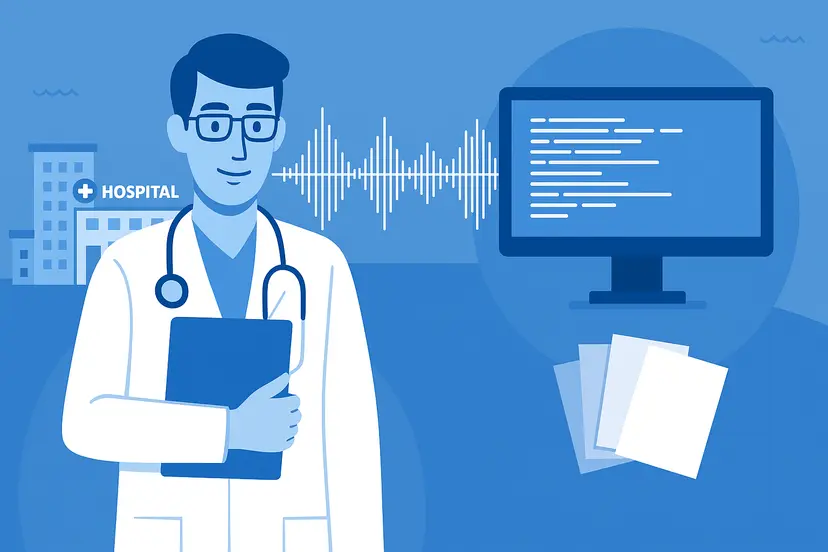
    Doctors often spend hours filling out forms and updating patient files. With ASR, they can simply dictate notes while focusing on the patient. Tools like Nuance Dragon Medical seamlessly transfer spoken words into electronic health records (EHRs).

    How it works:

    Doctors dictate notes directly into Electronic Health Record (EHR) systems. Specialized ASR handles complex terminology and can be noise-robust to filter out hospital sounds.

    Why it matters:

    1. Doctors spend more time with patients, less on paperwork.
    2. Patient records become more complete and accurate.
    3. Hospitals save money on transcription services.

    2. Customer Support: Smarter Call Centers

    We’ve all had long customer service calls where details get lost. ASR helps by transcribing conversations in real time, making it easier for agents to find solutions and for companies like Zendesk and Salesforce Service Cloud to analyze call patterns.

    How it works:

    ASR transcribes customer-agent calls in real time. This transcription allows for immediate analysis of intent and sentiment.

    Why it matters:

    1. Agents get real-time prompts, improving resolution times.
    2. Calls can be reviewed for compliance and quality.
    3. Customers feel heard and supported.

    3. Education: Learning Without Barriers

    From university lectures to online courses, ASR is transforming education. Platforms like Coursera and Khan Academy use it to provide captions, while universities integrate it into learning management systems. Students get real-time captions for lectures, a game-changer for those who are deaf, hard of hearing, or learning a second language.

    How it works:

    ASR provides real-time captions and transcripts for lectures, online courses, and videos on platforms like Coursera.

    Why it matters:

    1. Improves accessibility and inclusivity.
    2. Helps students review content later.
    3. Supports global learning by enabling translated captions.

    4. Media & Entertainment: Subtitles at Scale

    Streaming platforms like Netflix and YouTube rely on ASR to generate captions and subtitles. Podcasters use services like Rev.ai and Descript to get quick transcripts for episodes. Content creators benefit from transcripts that boost discoverability.

    How it works:

    ASR generates captions and subtitles for video content (Netflix, YouTube) and transcripts for podcasts (Rev.ai, Descript).

    Why it matters:

    1. Audiences worldwide can enjoy content in their language.
    2. Transcripts improve SEO and discoverability.
    3. Creators save time compared to manual captioning.

    5. Legal Industry: Streamlining Court Records

    Court proceedings and legal meetings generate huge volumes of spoken content. ASR provides fast, reliable transcriptions that lawyers and clerks can reference. Companies like Verbit specialize in legal transcription powered by ASR.

    How it works:

    ASR transcribes court proceedings, depositions, and legal dictations, often utilizing specialized vocabulary models.

    Why it matters:

    1. Accurate records for hearings and depositions.
    2. Faster preparation for cases.
    3. Lower costs compared to human stenographers.

    6. Banking & Finance: Safer and Smarter Calls

    Banks like JPMorgan Chase and HSBC use ASR to monitor customer conversations, flag potential fraud, and ensure compliance with regulations. Real-time alerts can stop fraudulent activity before it escalates.

    How it works:

    ASR transcribes customer calls to monitor conversations, check for regulatory compliance, and flag keywords related to fraud.

    Why it matters:

    1. Protects banks and customers from scams.
    2. Ensures regulatory compliance.
    3. Creates searchable, auditable records.

    7. Retail & E-commerce: Voice-Powered Shopping

    “Alexa, order my groceries.” Voice shopping is becoming part of everyday life, thanks to ASR. Retail giants like Walmart and Amazon use ASR to make browsing, ordering, and reordering products effortless.

    How it works:

    ASR interprets a shopper’s spoken requests (e.g., “Alexa, order my groceries”) and translates them into a machine-actionable product search or order command.

    Why it matters:

    1. Makes shopping faster and more convenient.
    2. Encourages impulse buys with easy ordering.
    3. Builds loyalty through personalized experiences.

    8. Transportation: Talking to Your Car

    Car makers like TeslaBMW, and Mercedes-Benz embed ASR in vehicles, allowing drivers to ask for directions, control entertainment, or call someone without touching a screen.

    How it works:

    ASR is embedded in vehicle systems (e.g., Tesla, BMW) to interpret spoken commands for navigation, entertainment, and communication.

    Why it matters:

    1. Improves safety by reducing distractions.
    2. Enhances the driving experience.
    3. Connects seamlessly with smart home devices.

    9. Government & Public Services: Connecting with Citizens

    Governments worldwide use ASR to make services more inclusive. For example, the UK Parliament provides live captions for debates, and U.S. public schools use ASR for accessibility in classrooms.

    How it works:

    ASR is used to provide live captions for public events, legislative debates (e.g., UK Parliament), and multilingual citizen services.

    Why it matters:

    1. Ensures accessibility for all citizens.
    2. Strengthens transparency and engagement.
    3. Bridges communication gaps in multilingual regions.

    10. Business Productivity: Smarter Meetings

    We’ve all sat through meetings where key points get lost. ASR tools like Otter.aiZoom, and Microsoft Teams automatically transcribe meetings, making them searchable and easy to review.

    How it works:

    Tools like Otter.ai and Microsoft Teams use ASR to automatically transcribe meeting audio in real-time or asynchronously.

    Why it matters:

    1. Captures ideas without interrupting the flow.
    2. Reduces the need for manual note-taking.
    3. Improves team collaboration.

    The Future of Automatic Speech Recognition (ASR)

    ASR technology is evolving rapidly. With AI-driven improvements in accuracy, multilingual support, and even emotion detection, we’re moving toward a future where machines don’t just understand our words, but also our intent and tone.

    Imagine Google Translate providing instant speech-to-speech translation across dozens of languages, or AI assistants that can sense frustration and adjust their tone. That’s the future ASR is helping to build.

    Conclusion

    Automatic Speech Recognition (ASR) is no longer just a handy feature- it’s becoming an essential part of how industries operate. From healthcare and education to retail and government.

    1. ASR is making communication faster, fairer, and more effective.
    2. As adoption grows, ASR will continue to shape a future where technology listens better and serves us more seamlessly.
  • Automatic Speech Recognition Explained: Everything You Need to Know About ASR

    Automatic Speech Recognition Explained: Everything You Need to Know About ASR

    Ever wonder how your phone knows what song to play when you say “Hey Siri”? Or how your car can dial your mom without you touching the screen? That’s not magic – it’s Automatic Speech Recognition (ASR), also known as speech-to-text technology.

    ASR acts as the invisible bridge that transforms human speech into text that machines can understand. It’s one of the most important breakthroughs in human-computer interaction, making technology more natural, accessible, and intuitive. From virtual assistants to real-time transcription services, ASR has become a core part of our digital lives—and its future is even more exciting.

    What is Automatic Speech Recognition (ASR)?

    At its core, Automatic Speech Recognition is the process of converting spoken language into written text using machine learning and computational linguistics.

    You may also hear it called speech-to-text or voice recognition. While the terms are often used interchangeably, ASR specifically focuses on understanding natural human speech and rendering it accurately into text.

    Unlike humans who effortlessly interpret words, tone, and context, machines need algorithms to:

    1. Detecting sound patterns.
    2. Convert sound waves into digital signals.
    3. Map those signals to linguistic units (like phonemes and words).
    4. Interpret them into coherent text.

    This ability allows ASR to perform tasks like:

    1. Following voice commands.
    2. Transcribing calls, lectures, or interviews.
    3. Supporting real-time communication through captions.

    The result? Hands-free convenience and accessibility at scale.

    How Does Automatic Speech Recognition Work?

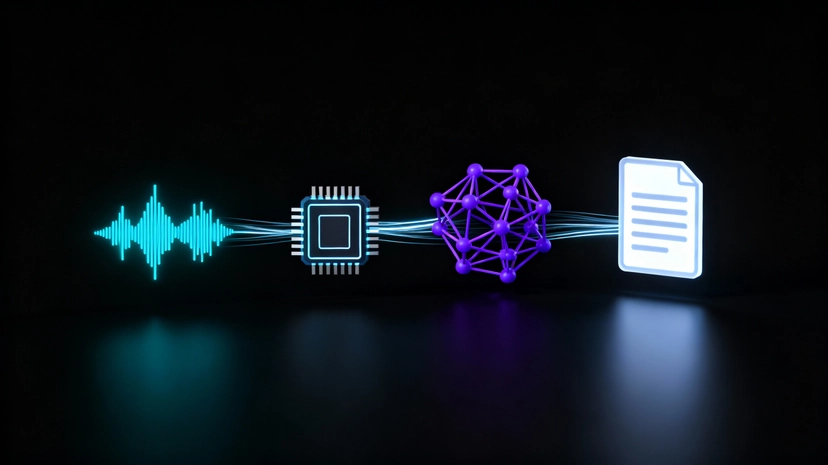
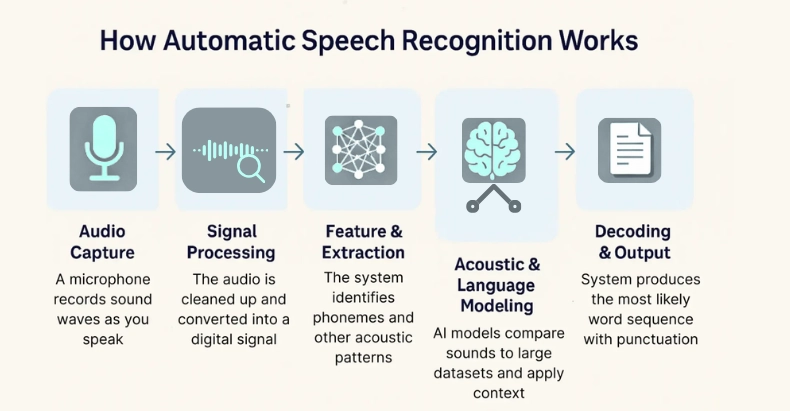
    Think of ASR as a production line for speech: raw audio enters on one side, and polished, readable text comes out the other. This happens in a matter of milliseconds, thanks to powerful AI models.

    Here’s a simplified breakdown of the ASR pipeline:

    1. Feature Extraction – Preparing the Audio

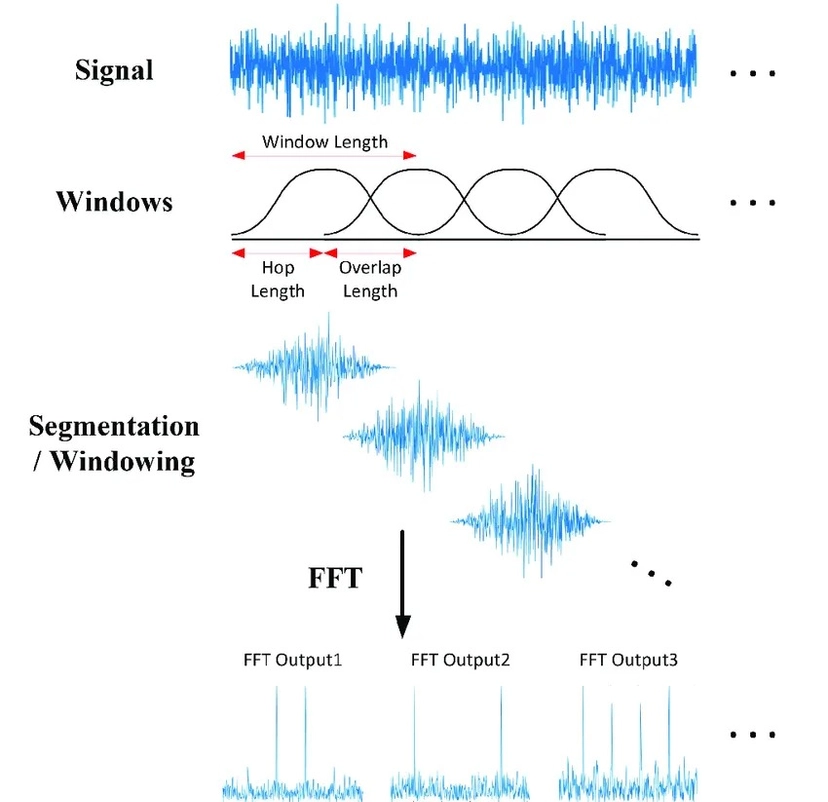
    The first step is acoustic preprocessing, which converts raw sound waves into a format that’s easier for models to understand.

    1. Modern ASR systems often use log-Mel spectrograms rather than older techniques like MFCCs.
    2. These representations capture both frequency and time-based information, allowing models to recognize subtle sound differences.
    3. Advanced models such as wav2vec 2.0 even skip traditional steps, learning features directly from the waveform.

    2. Encoder – Learning Acoustic Representations

    Once features are extracted, they pass through an encoder, which compresses them into high-level patterns.

    1. Early ASR relied on RNNs and LSTMs, while modern systems prefer Transformers and Conformers.
    2. The encoder learns both short-term sounds (like syllables) and long-term dependencies (like sentences).

    3. Decoder – Turning Features into Text

    The decoder generates the final transcription by predicting characters, words, or subwords.

    1. It works step by step, often using attention mechanisms to focus on the most relevant part of the audio.
    2. Models trained with CTC (Connectionist Temporal Classification) or RNN-T handle timing alignment between speech and text effectively.

    4. Language Model Integration – Adding Context

    Even the best acoustic models can misinterpret similar-sounding words. That’s where a language model (LM) comes in.

    1. For example, “I scream” vs. “ice cream.”
    2. By incorporating context, external LMs help disambiguate confusing phrases and ensure domain-specific accuracy.

    Together, these steps enable real-time, highly accurate speech-to-text performance.

    Approaches to ASR Technology

    1. Traditional Hybrid Models

    • Combine acoustic, lexicon, and language models.
    • Reliable but less adaptive to new domains or languages.

    2. End-to-End Deep Learning Models

    • Directly map speech to text using neural networks.
    • Faster, require less manual tuning, and deliver superior accuracy.
    • Examples: Whisper by OpenAI, RNN-T, and Conformer-based systems.

    The shift toward end-to-end models has revolutionized ASR by cutting down complexity while improving scalability across industries.

    Benefits of Automatic Speech Recognition (ASR)

    The power of ASR extends far beyond convenience. Here are some of its most impactful benefits:

    1. Accessibility: ASR opens up the digital world to people with hearing or mobility impairments. Automatic captions on videos, voice navigation, and real-time transcription empower inclusivity.
    2. Productivity: Businesses save hours with instant transcriptions of meetings, customer calls, and lectures. Instead of typing notes, professionals can focus on conversations.
    3. Efficiency: Industries like healthcare, finance, and customer service use ASR to digitize spoken data, speeding up workflows and reducing human error.
    4. Enhanced User Experience: Virtual assistants like Alexa, Google Assistant, and Siri thrive because of ASR, making everyday tasks—like setting reminders or controlling smart homes—effortless.
    5. Data-Driven Insights: Speech-to-text technology transforms conversations into analyzable datasets, unlocking opportunities in sentiment analysis, compliance, and performance tracking.

    Applications of Speech-to-Text and ASR

    Automatic Speech Recognition has countless real-world applications. Some key examples include:

    1. Customer Service: Call centers use ASR to automatically transcribe customer interactions, enabling agents to focus on problem-solving instead of note-taking.
    2. Healthcare: Doctors can dictate patient notes hands-free, reducing burnout and improving documentation accuracy.
    3. Education: Real-time closed captioning makes learning accessible for students with disabilities and helps all students retain lecture material.
    4. Legal & Media: ASR simplifies archiving, searching, and analyzing large volumes of spoken data, from courtroom recordings to podcasts.
    5. Smart Devices & IoT: From voice-activated appliances to cars with built-in assistants, ASR enables intuitive, hands-free interaction.
    6. Finance: Speech-to-text assists in fraud detection, voice authentication, and secure transactions, making banking more secure.

    Challenges in Automatic Speech Recognition

    While ASR has advanced significantly, it isn’t perfect. Common challenges include:

    1. Accents & Dialects: Models often perform best on standardized accents, struggling with regional variations.
    2. Background Noise: Environments like busy cafÊs or call centers reduce accuracy. Noise cancellation helps, but not always perfectly.
    3. Code-Switching: Many users mix languages in a single sentence. Most ASR systems still struggle with this.
    4. Domain Vocabulary: Specialized jargon (like medical or legal terms) is hard to capture without customized training.
    5. Privacy Concerns: Always-on devices raise questions about data storage, consent, and compliance with privacy laws. This has fueled demand for on-device ASR that keeps data local.

    The Future of Automatic Speech Recognition

    The future of ASR is set to be smarter, faster, and more context-aware. Key trends include:

    1. End-to-End Neural Models: Architectures like Whisper and RNN-T simplify training and improve both speed and accuracy.
    2. Multilingual and Code-Switching Support: ASR systems are being trained on diverse datasets to handle multiple languages seamlessly in one conversation.
    3. On-Device Processing: Running ASR locally enhances privacy, reduces latency, and ensures functionality even offline.
    4. Multimodal Integration: Future systems will combine speech with other cues (like gestures or visuals) for immersive AR/VR experiences. Imagine giving voice commands in a virtual classroom or operating room.

    In essence, ASR is moving beyond transcription into true conversational AI, where systems don’t just recognize words but also intent and emotion.

    Conclusion

    Automatic Speech Recognition and speech-to-text technology are no longer futuristic—they’re part of our daily lives. From accessibility tools to smart devices, ASR is transforming the way humans interact with technology.

    For businesses, the opportunity is enormous:

    1. Define your use case clearly.
    2. Evaluate providers for accuracy, adaptability, and privacy.
    3. Plan for integration into long-term digital strategies.

    As models become more sophisticated, expect ASR to blend seamlessly into every industry, making our digital world not only more efficient but also more human-centered. The future of ASR isn’t just about machines understanding our words – it’s about them understanding our intent, context, and needs.